键盘快捷键
此条目列出了游戏中可用的游戏快捷键(英文:keyboard shortcuts)。
界面
| 按键 | 图标 | 界面 |
|---|---|---|
| F1 | 主头衔 | |
| F2 | 角色 | |
| F3 |  |
内阁 |
| F4 |  |
法律 |
| F5 |  |
科技 |
| F6 |  |
军事 |
| F7 |  |
密谋 |
| F8 |  |
派系 |
| F9 |  |
宗教 |
更新的界面如  共和国界面,
 部族界面或
部族界面或  社团界面没有键盘快捷键,因为会和屏幕截图冲突。
对话框
| 按键 | 图标 | 对话框 |
|---|---|---|
| , |  |
统计表 |
| ? |  |
查找头衔或区域 |
| . |  |
角色查找器 |
直辖领导航
地图模式
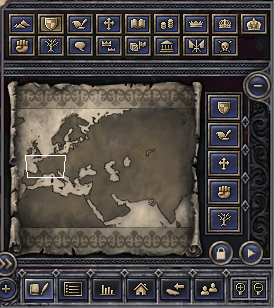
| 按键 | 图标 | 地图模式 | 说明 |
|---|---|---|---|
| q |  |
地形 | 地形影响部队移动速度、损耗, 以及战斗防御加成. |
| w |  |
独立领地 | ^Ctrl+Left-click a realm to see its subrealms. (Undo with ^Ctrl+Right-click or by pressing W again.) |
| e |  |
外交关系 | Colors indicate your allies、敌人、领地和附庸。鼠标悬停在黄色省份上可查看待处理 Casus Belli (CBs) against it. Click on a province to see their relations. |
| r |  |
宗教 | 点击宗教查看其圣地。去看看 autocephalous patriarchs, use the Religion screen (F9) instead. |
| t |  |
文化 | Hover for culture groups. |
| u |  |
经济 | Green is ripe for raiding. |
| i |  |
法理公国 | Hover to confirm the duchy's de jure capital. |
| o |  |
法理王国 | Also shows duchies drifting into kingdoms. Hover to see crown laws effective in each province. |
| p |  |
法理帝国 | Also shows kingdoms drifting into empires. |
| a |  |
叛乱 | Don't park (small retinues) on red. |
| s |  |
家族 | 颜色按最大王国划分,所以用“王国”视角翻转可以看到哪些王朝控制多个王国。 ^Ctrl+点击王国可查看控制其子王国的王朝。 |
| d |  |
好感 | 点击省份查看其统治者的观点。悬停以获取推理。 |
| f |  |
直属封臣 | 找到另一个领域的最大附庸,让他们去 inherit into your realm! |
| g |  |
贸易区 | Republics and silk road. ^Ctrl+点击任意共和国查看每个贵族家族的贸易区。 |
| h |  |
政体 | Government types |
| j |  |
共同防御协定 | Hover to see any realm's infamy.点击海洋,查看哪些领域对它们有防御条约。点击一个领域,查看针对该领域的防御契约,并按宗教团体颜色排列。 |
| k |  |
瘟疫 | 悬停横幅即可查看疫情何时何地开始。悬停一个省份,可以看到其医院水平、疾病抵抗力以及邻近流行病的“感染权重”。 |
| l |  |
玩家 | Other human players in multiplayer. |
 |
中国关系 | Shows China的“西部保护国”领地(红色)、和平条约区(绿色)、帝国朝贡国(紫色)和外交范围(蓝色)。 Opened by right-clicking the "China screen" button |
军队
| 按键 | 功能 |
|---|---|
| Alt+Drag | Select only naval units |
| ⇧Shift+Drag | 仅选择与当前选择单元同类型的单元 |
| ⇧Shift+Left-Click | Add or remove a unit to the selection |
| ⇧Shift+Right-click | Add waypoint (repeat to specify a precise route to a destination) |
| x | Disband unit |
| ⇧Shift+x | Disband all selected units |
| g | Merge the selected units |
| b | 创建新单位(选择一个单位)或重新组织所选单位(选择两个单位) |
| n | Split unit in half (with one unit selected) |
| v | Embark unit (load onto ships) |
| ⇧Shift+v | Embark all selected units (load onto ships) |
| z | 从该县或所有附庸的部队(包括其他县)征召到所选县 |
| c | 将你的舰船从该郡,或所有附庸的舰队(包括其他郡)调入所选郡 |
省份主人
| Right-click province with... | Function |
|---|---|
| Right-click | Holder: character sheet |
| Alt + Right-click | Holder: diplomatic actions |
| ⇧Shift + Right-click | Top liege: character sheet |
| ⇧Shift + Alt + Right-click | Top liege: diplomatic actions |
视角控制
| 按键 | 图标 | 功能 | 注释 |
|---|---|---|---|
| PageUp |  |
Zoom in | |
| PageDown |  |
Zoom out | |
| Backspace or 🏠 Home |
 |
Focus camera on capital province. |
游戏控制
| 按键 | 图标 | 功能 | 注释 |
|---|---|---|---|
| + |  |
Increase game speed | 速度5是“无限速度”(即计算机处理速度最快)。 |
| - |  |
Decrease game speed | |
| ␣ Space |  |
Pause/Unpause | Some notifications can be configured to auto-pause the game. |
| Alt+2+1 or backtick (`) |
Console | ||
| ←Esc |  |
Main menu | 按顺序关闭所有打开的 GUI 窗口(从上次打开的窗口开始),然后再显示主菜单面板。 |
屏幕截图
| 按键 | 功能 | 注释 |
|---|---|---|
| F10 | Map screenshot |
整张地图,以2D渲染并根据当前地图模式着色 |
| F11 | Screenshot |
Stored in ~/Documents/Paradox Interactive/Crusader Kings II/Screenshots |
| F12 | Steam overlay screenshot | Steam > 库 > Crusader《国王 II》>截图(右侧显示) |
你的操作系统可能还有捕捉屏幕部分内容的快捷方式。参见 Screenshots on Windows or Screenshots on Mac.